Tutorial 3 of 7
Beds square by square or in rows
Intermediate 10 min
Plant beds in 30 cm squares or in rows, give every planting its dates, add repeat sowings and see overlaps, good neighbours and rotation problems at once.
The Beds view is where the plan turns into plants. Every bed is either a grid of 30 cm squares (the square-foot method) or a bed of rows along its length.
Plant squares
Choose the bed at the top and a plant under Plant to place. Then choose squares in the grid: each one gets the plant, with its usual dates worked out from your frost dates. Squares are coloured by the plant's rotation group, and the legend under the grid names them. Eraser clears squares instead. With the keyboard, the arrow keys move between squares and Enter or Space plants or clears the focused one.
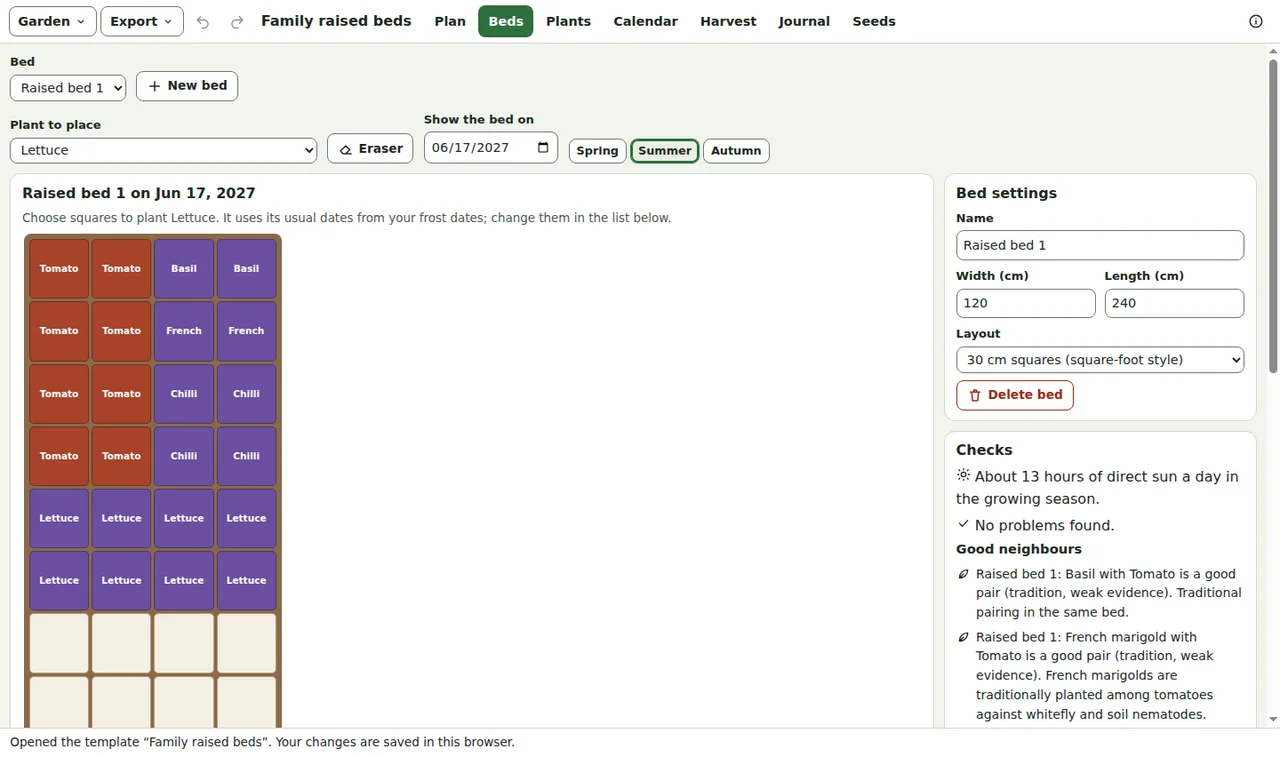
A square holds as many plants as the plant's spacing allows: 16 radishes, 4 lettuces, one tomato, or one courgette on four squares. Plants that need more than one square are flagged when they get too few.
Dates, so one square can carry two crops
Every planting has a start and an end. Show the bed on chooses the day the grid shows, and the buttons Spring, Summer and Autumn jump through the season. Spring lettuce can leave a square in June and leeks can take it over afterwards: Greenplot only reports an overlap when two plantings share a square at the same time.
The table under the grid lists every planting with its squares or rows, number of plants, dates and variety; change any of them there.
Repeat sowings
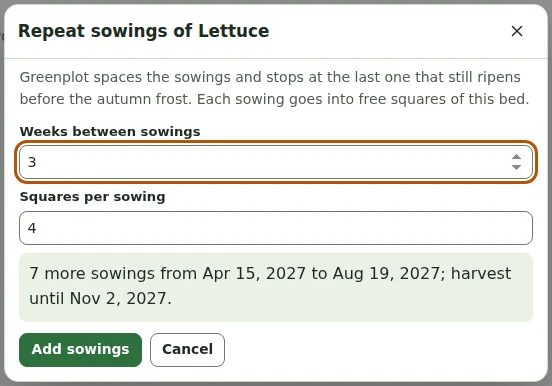
Lettuce, radishes, spinach and bush beans crop for a few weeks only. The + button of a planting opens Repeat sowings: choose the weeks between sowings and the squares per sowing. Greenplot plans sowings until the last one that still ripens before the autumn frost and puts each into free squares of the bed.
Rows
Choose Rows as the layout in Bed settings for long beds and allotments. Add rows of … adds rows of the chosen plant; the row spacing comes from the plant table. If the rows on a date need more width than the bed has, the checks say so.
Checks and rotation
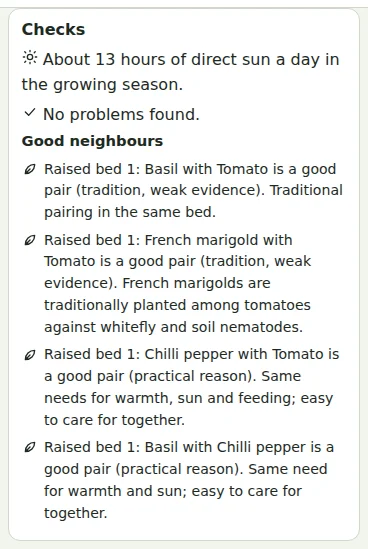
Checks next to the bed lists what needs attention: overlaps, too few squares, rows too wide, too little sun, neighbours that should be kept apart, and crop rotation. Good neighbours lists pairs that go well together, each with the reason and whether it is a practical reason or gardening tradition.
The Rotation table at the bottom shows the main group of every bed season by season — legumes, cabbage family, potato family, onions and roots — and suggests the next three years. When the same group comes back to a bed within three years, the bed's checks warn you, and so do plant families that share soil pests (for example tomatoes after potatoes).
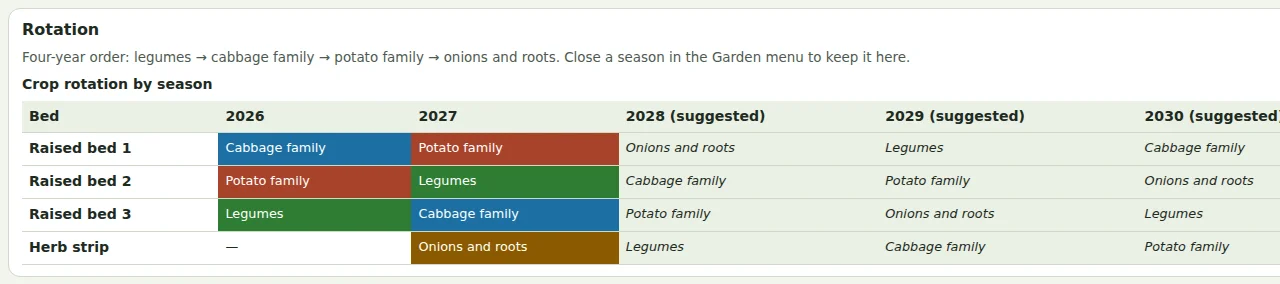
At the end of the year, Garden → Start the next season… keeps this year's plantings as a past season, clears the annual plantings and moves the garden to the next year. Fruit and other perennials stay where they are.
Ready to try it?