Tutorial 6 of 7
Harvest log, costs, seeds and journal
Beginner 8 min
Weigh and log every harvest, value it at your own shop prices against what the garden cost, keep a seed inventory and a journal with photos and pest notes.
A garden manager is only as good as its records. Greenplot keeps four kinds: harvests, costs, seeds and journal entries.
Log a harvest
In the Harvest view, fill in Log a harvest: date, plant, bed, weight in kilograms and, if you like, the number of pieces (for courgettes, lettuces or cabbages). Add to the log keeps the date, plant and bed for the next entry.
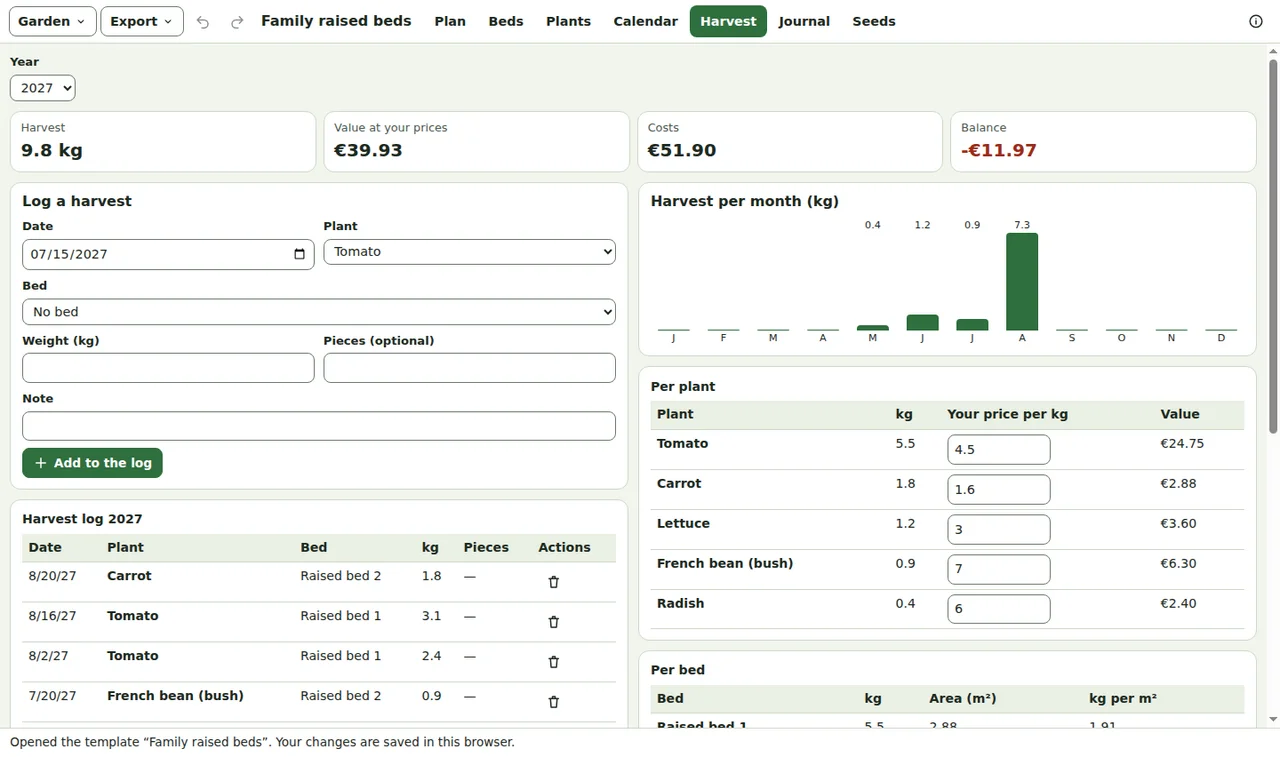
The figures at the top add up the chosen year: harvest, value at your prices, costs and the balance. Below, the harvest is shown per month, per plant and per bed — the bed table also gives kilograms per square metre, a good way to compare beds and years.
Your own prices
Greenplot has no market prices built in. In Per plant, type what the same food costs where you shop, per kilogram; the value of every harvest follows. Plants without a price are listed above the tables so none is forgotten.
Costs
Costs takes the date, a category (seeds, plants, soil and compost, fertiliser, tools, water, rent and fees, other), the amount and a note. The sum per category is shown above the list. Change the currency in Garden → Garden settings….
Seed inventory
The Seeds view lists your seed packets with variety, amount, the year bought and the use-by year on the packet. Seed past its use-by year — or older than the usual seed life of the plant — is marked: test a few seeds on wet kitchen paper before you rely on it.
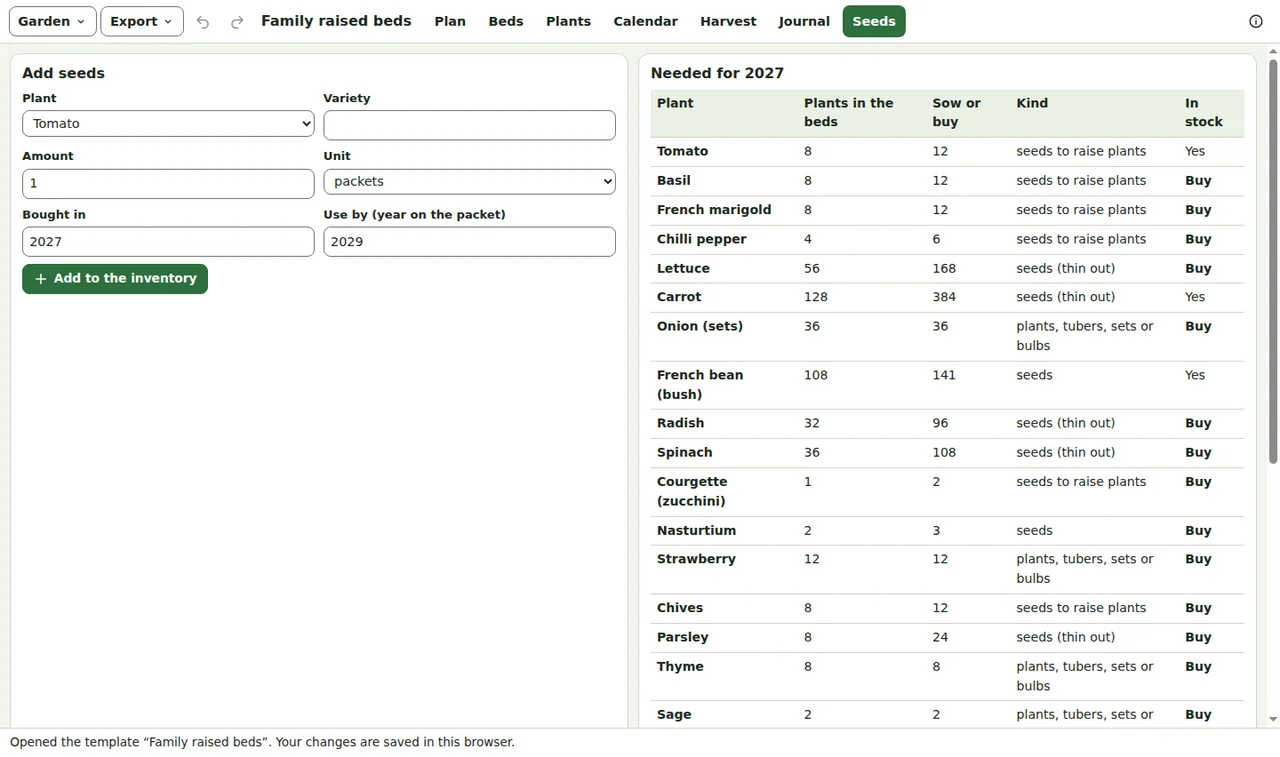
Needed for this year adds up the plants in your beds and how many seeds to sow or plants to buy: transplants × 1.5 for spares, large seeds × 1.3, fine seeds that are thinned out × 3, sets and tubers × 1. Buy marks what is not in stock.
Journal
The Journal keeps notes, pest and disease reports with a severity, weather notes, harvest notes and ideas for next year, each with an optional bed and plant and up to six photos. Photos are reduced to 1280 pixels and stay in this browser; when the garden is shared they travel as workspace attachments.
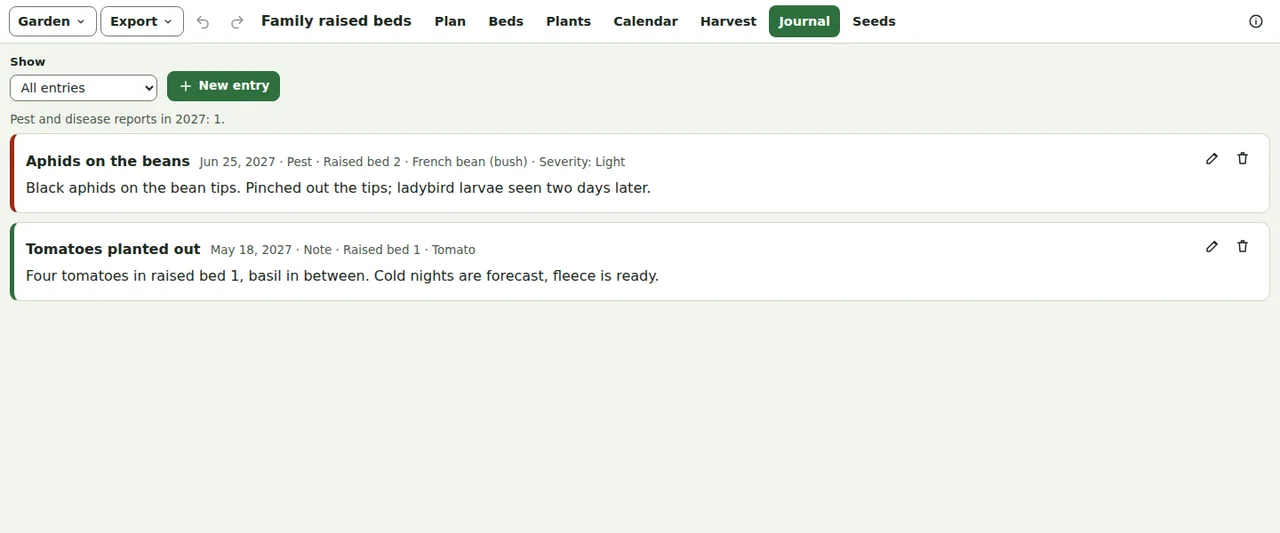
Show filters the journal by kind, for example all pest reports of the year.
Exports
The Export menu writes the harvest log, costs and the seed inventory as CSV files for a spreadsheet. Cells that start with = + - or @ get a leading apostrophe, so a spreadsheet never runs them as formulas.
Ready to try it?